

A productive timesheet approval process is essential for maintaining accountability, transparency, and alignment with your company’s operational goals. Beyond simply tracking hours, a well-structured system streamlines management, improves decision-making, ensures compliance, and helps maintain work-life balance.
In this article, we’ll explore how TimePlanner, a Jira plugin, can enhance your timesheet approval process, foster transparency, and help create a healthier timesheet culture within your organization.
Understanding the Timesheet Approval Process
A timesheet approval process is a system where employees submit their recorded work hours, and those records are reviewed and approved by their managers or HR before finalizing them for payroll. The process ensures that employees are compensated accurately and that all work-related activities are logged properly for analysis and budgeting.
In many companies, timesheet approval involves several steps, such as:
- Employees logging their worked hours on a daily, weekly, or biweekly basis.
- Supervisors or managers reviewing and verifying the submitted timesheets for accuracy and compliance.
- Approvals or rejections sent to HR or payroll teams for final processing.
- Reporting and tracking for auditing purposes.
Why a Healthy Timesheet Culture Matters
A healthy timesheet culture is crucial for ensuring that time tracking isn’t just an administrative task—it’s a vital part of improving overall organizational efficiency. When employees clearly understand the process, feel empowered to track their time, and managers have the visibility needed for data-driven decisions, the result is a streamlined, transparent workflow.
Key Benefits of a Healthy Timesheet Culture:
- Accountability: Employees are encouraged to take ownership of their time, ensuring accurate tracking and more responsible work habits.
- Transparency: Clear visibility into how time is allocated across teams and projects ensures alignment, making it easier to address discrepancies before they become issues.
- Operational Efficiency: A smooth timesheet approval process reduces administrative bottlenecks, helping teams focus on more strategic work.
- Compliance: Consistent time tracking ensures your organization adheres to labor laws, billing practices, and internal policies.
- Work-Life Balance: By setting clear expectations and tracking hours accurately, you can prevent overwork and promote a healthier work-life balance.
Who Needs Timesheets?
Timesheets are essential for any role where time needs to be tracked and tied to specific projects, clients, or budgets. Key roles include:
-
Client-Facing Employees: Consultants and account managers who need to track hours for billable client tasks.
-
Project-Based Teams: Creatives, developers, and other project-based employees who need to track time for various projects and clients.
-
Freelancers and Contractors: External workers who track their hours for invoicing purposes.
-
Support and Admin Teams: HR, operations, and admin staff who contribute to internal functions and processes.
How TimePlanner Enhances Your Timesheet Approval Process
TimePlanner is a Jira plugin designed to streamline timesheet management by automating key steps in the approval process. Here’s how it helps improve your timesheet approval system:
Clear Timesheet Submission and Approval Workflow
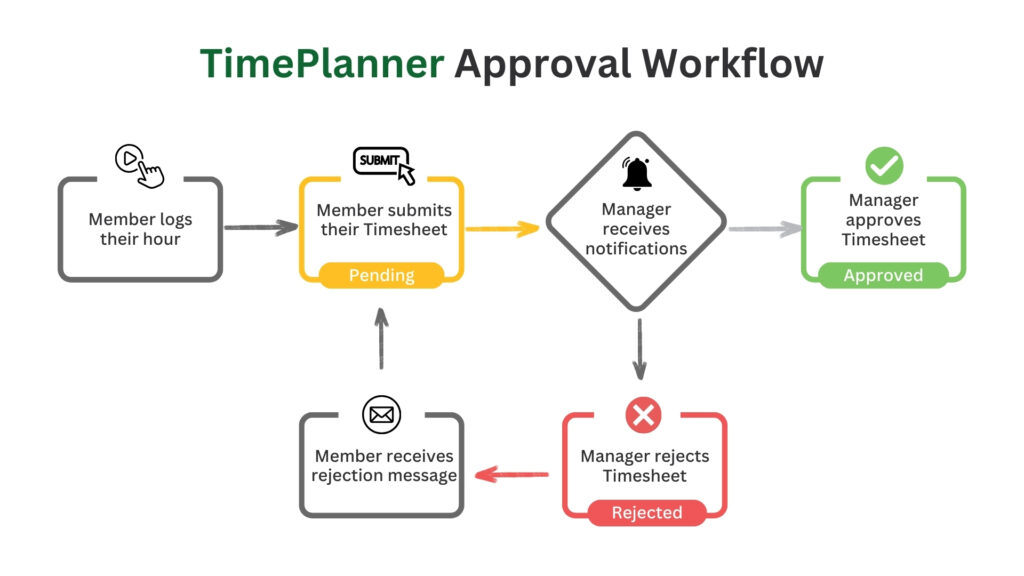
Traditional timesheet management often suffers from confusion, missed deadlines, or errors due to a lack of clarity in the approval process. TimePlanner simplifies this by providing a clear, well-defined workflow, ensuring that both employees and managers know exactly what is expected:
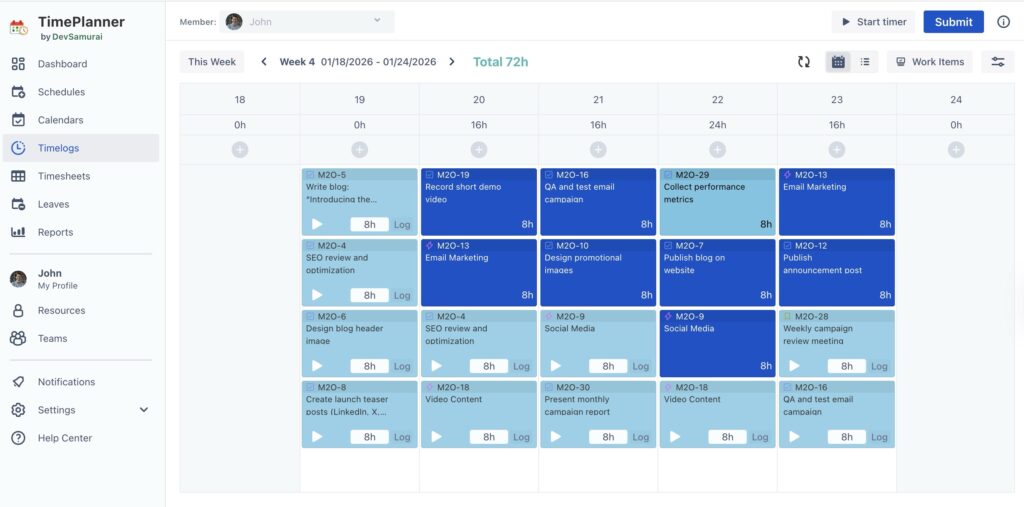
Step 1: Logging Hours with the Timelog Board
Employees begin by logging their hours directly into TimePlanner via the Timelog Board. This feature allows team members to enter time for specific tasks manually or use the Start timer for automatic tracking. The system helps ensure accurate logging with minimal manual input, streamlining the process and saving time.
Step 2: Submitting the Timesheet for Review
Once hours are logged, employees simply submit their timesheets with a click of a button. The system automatically updates the status of the timesheet to Pending, signaling to managers that the timesheet is ready for review.
In cases where employees are unavailable to submit their timesheets, Team Admins or Leaders can submit timesheets on behalf of employees, ensuring a smooth workflow without bottlenecks.
Step 3: Review and Approval Process by Managers
Once the timesheet is submitted, the manager receives a notification within the app or via email. This eliminates the need for HR or team leads to manually track submissions or send reminder emails—tasks that can delay the review process.
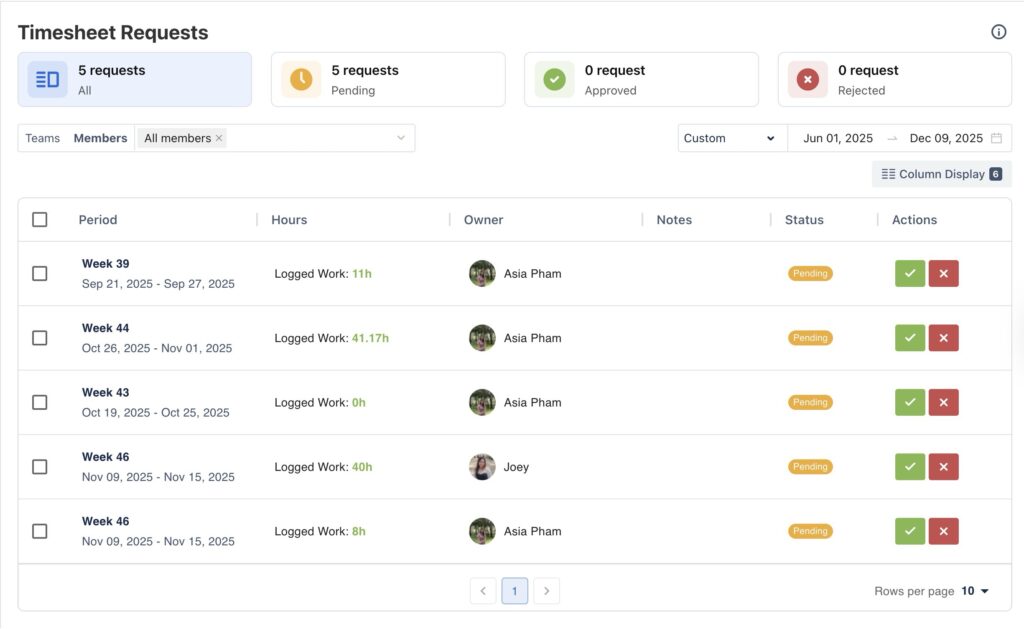
With TimePlanner, managers can quickly access the Timesheet Approval page, where they can review timesheet details like hours worked, billable hours, and project allocations. Managers can then approve or reject timesheets with just a few clicks, speeding up the process and improving accuracy.
Step 4: Review & Export for Your Timesheet Data
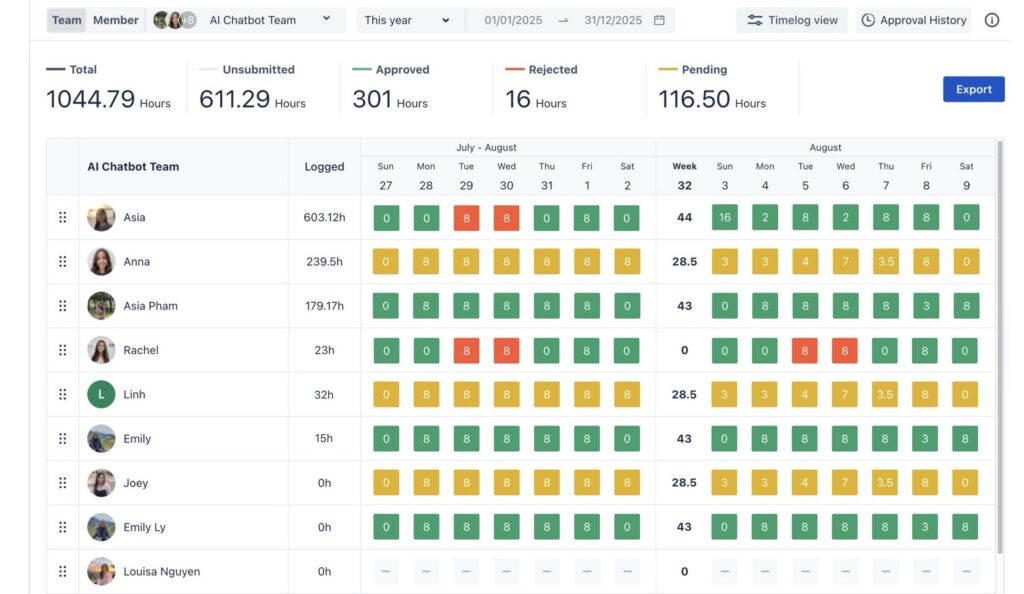
After submission and approval, TimePlanner makes it easy to review all logged hours through the Timesheet page. This page provides a clear view of your timesheet history, showing the status of each entry (approved, pending, or rejected).
For personal reference or sharing outside of TimePlanner, you can use the Export feature to download your timesheet data. This allows for easy integration with other tools, reporting, or offline access.
Role-Based Permissions for Streamlined Approvals
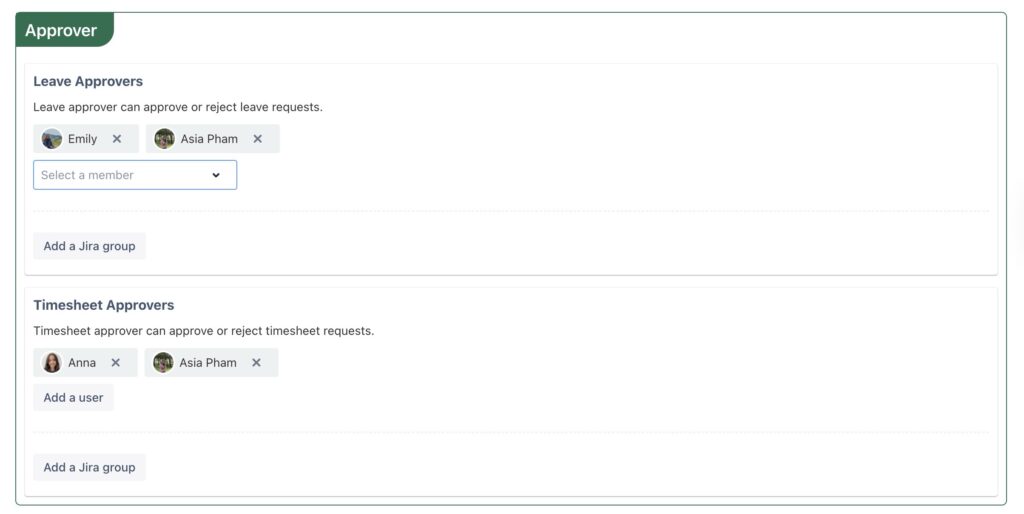
Once the timesheet is submitted, it must be approved by the designated team leader, project manager, or HR representative. TimePlanner allows you to assign approval permissions based on your team’s structure, ensuring that the appropriate individual has the authority to approve timesheets.
Billable vs. Non-Billable Hours Tracking
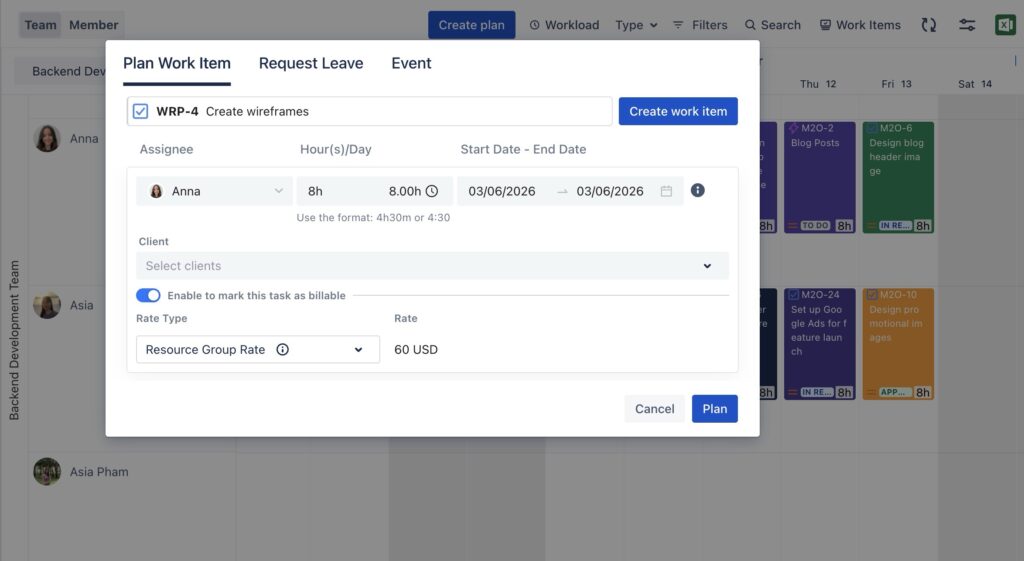
Accurately tracking billable and non-billable hours is crucial for proper invoicing and ensuring project profitability. Differentiating these two categories helps prevent overbilling clients and ensures that internal costs are monitored appropriately.
In TimePlanner, employees can log their time as either Billable or Non-Billable. By tagging hours correctly, managers can easily review these entries during the approval process to ensure that billable hours are accurately captured for client invoicing and non-billable hours are tracked for internal purposes. This seamless integration keeps both project and financial tracking aligned with company objectives.
Timesheet Locking for Finalization
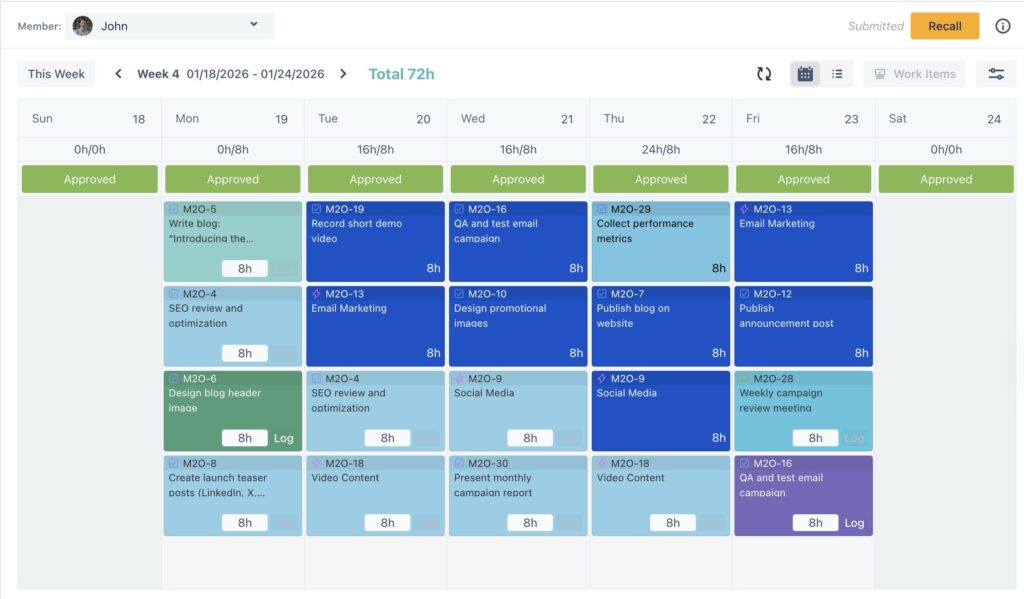
After a manager approves a timesheet in TimePlanner, the system automatically locks the entry, preventing any modifications. This feature is vital for payroll accuracy and client invoicing, as it ensures the timesheet remains unchanged after approval. Additionally, locking timesheets creates a clear audit trail, which is essential for record-keeping and compliance purposes.
If you need to make any modifications after approval, you can recall the timesheet. This feature allows you to reopen the timesheet, make necessary adjustments, and resubmit it for approval.
Conclusion
TimePlanner takes the complexity and manual effort out of timesheet approval, streamlining the entire process from submission to finalization. By automating key tasks, simplifying approval workflows, and offering role-based permissions, it ensures that your timesheet management is more efficient, accurate, and transparent.
The post HR Expert Tips: Building a Healthy Timesheet Approval Process for Your Company with Jira appeared first on TeamBoard – Resource planning, project management and Gantt Chart for Jira, monday.com.
Leave a Reply